

If you've ever wanted to see what your car would look like with new wheels, different colors or even lowered, you can now do it all from your phone. One of the most popular apps for this type of customization is 3D Tuning, available for Android and iOS. With it, you can simulate modifications to hundreds of car models in an easy and fun way. To download, just follow the link below
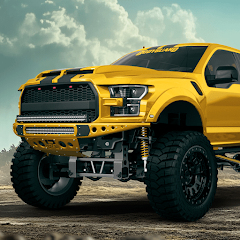
3DTuning: Car Game & Simulator
What does 3D Tuning do?
O 3D Tuning is an application that allows you to virtually modify cars in 3D with an impressive level of detail. It works as a kind of simulator, where the user chooses the car model and can change various visual elements: paint color, type of wheel, suspension, bumpers, headlights, stickers and much more. Everything is done in real time and with a high-quality graphic rendering.
The app's biggest selling point is its vast library of vehicles — there are over a thousand models from different brands and years, from classic cars to recent releases. This allows users to find their own car (or a similar model) and simulate the changes as if they were actually customizing the vehicle in their garage.
Main features
- Complete car customization: You can change parts, paint, wheels and other accessories with just a few taps on the screen.
- 3D visualization: the car can be rotated and viewed from all angles.
- Project Saving: allows you to save the changes you have made to consult later or show to friends.
- Before and after comparison: See the visual impact of the changes you've applied.
- User gallery: See customizations made by other users around the world.
- Browser integration: there is also an online version on the official website for those who prefer to use it on a computer.
Compatibility with Android or iOS
O 3D Tuning is available both in Google Play Store as in App Store, which makes it accessible to most smartphones and tablets on the market. Installation is easy, and the application runs well even on mid-range devices. However, for a better visual experience, a device with good graphics performance is recommended.
How to use the app step by step
- Download the app in your mobile store (Android or iOS).
- Open the app and accept the terms of use.
- Choose your car model: You can search by brand, year or popularity.
- Start customizing: change paint, wheels, spoilers, bumpers, among others.
- Visualize the result in 3D, turning the car with your finger.
- Save or share your creation with friends or on social networks.
Advantages and disadvantages
Advantages:
- Intuitive and easy-to-use interface.
- Wide variety of car models.
- 3D visualization with good graphics.
- Diversity of parts and customization options.
- Free with many features available.
Disadvantages:
- Some parts and functions are only available in the paid version.
- There may be a delay in loading on simpler cell phones.
- Customization is only visual (it does not simulate performance, for example).
Is the app free?
Yes, the 3D Tuning can be downloaded for free and allows for various customizations at no cost. However, there are extra items, part packs, and additional vehicles that are only available upon payment. The paid version also removes ads and provides full access to the item library.
For casual users, the free version already offers an excellent experience. But for car enthusiasts, it may be worth investing in the premium version.
Usage tips
- Use the app as a tool to plan future real-world modifications.
- Share your creations with mechanics or tuning shops to facilitate quotes.
- Explore other users' galleries to get inspired by new ideas.
- Combine pieces of different styles and see what best suits your taste.
Overall app rating
Based on thousands of reviews on Google Play Store and in App Store, O 3D Tuning It is well rated by users. It has an average rating of over 4.5 stars, and is praised mainly for its easy-to-use interface, variety of cars and graphic quality. Some comments point out that the app could include more free parts, but overall, the feedback is quite positive.
If you are into cars, tuning or simply want to look at modification ideas before investing money, 3D Tuning It's an excellent tool. In addition to being useful, the app is fun and allows you to unleash your creativity directly in the palm of your hand.

